
Comparing PyTorch Performance on CPUs and GPUs
18 min read A detailed analysis of PyTorch performance differences between CPUs and GPUs, with benchmarks, practical tips, and use-case recommendations. (0 Reviews)
Unlocking Speed: Comparing PyTorch Performance on CPUs and GPUs
For machine learning practitioners, choosing the right hardware is as critical as designing the model itself. PyTorch, one of the most popular deep learning libraries, gives researchers and engineers the flexibility to run code on both CPUs and GPUs. However, how exactly does performance differ between these two, and how can you harness their strengths? In this guide, we'll dive deep into the nuances of PyTorch's runtime on CPUs and GPUs, drawing on empirical examples and actionable insights to help you make efficient, cost-effective choices for your projects.
Hardware Basics: CPUs and GPUs Explained
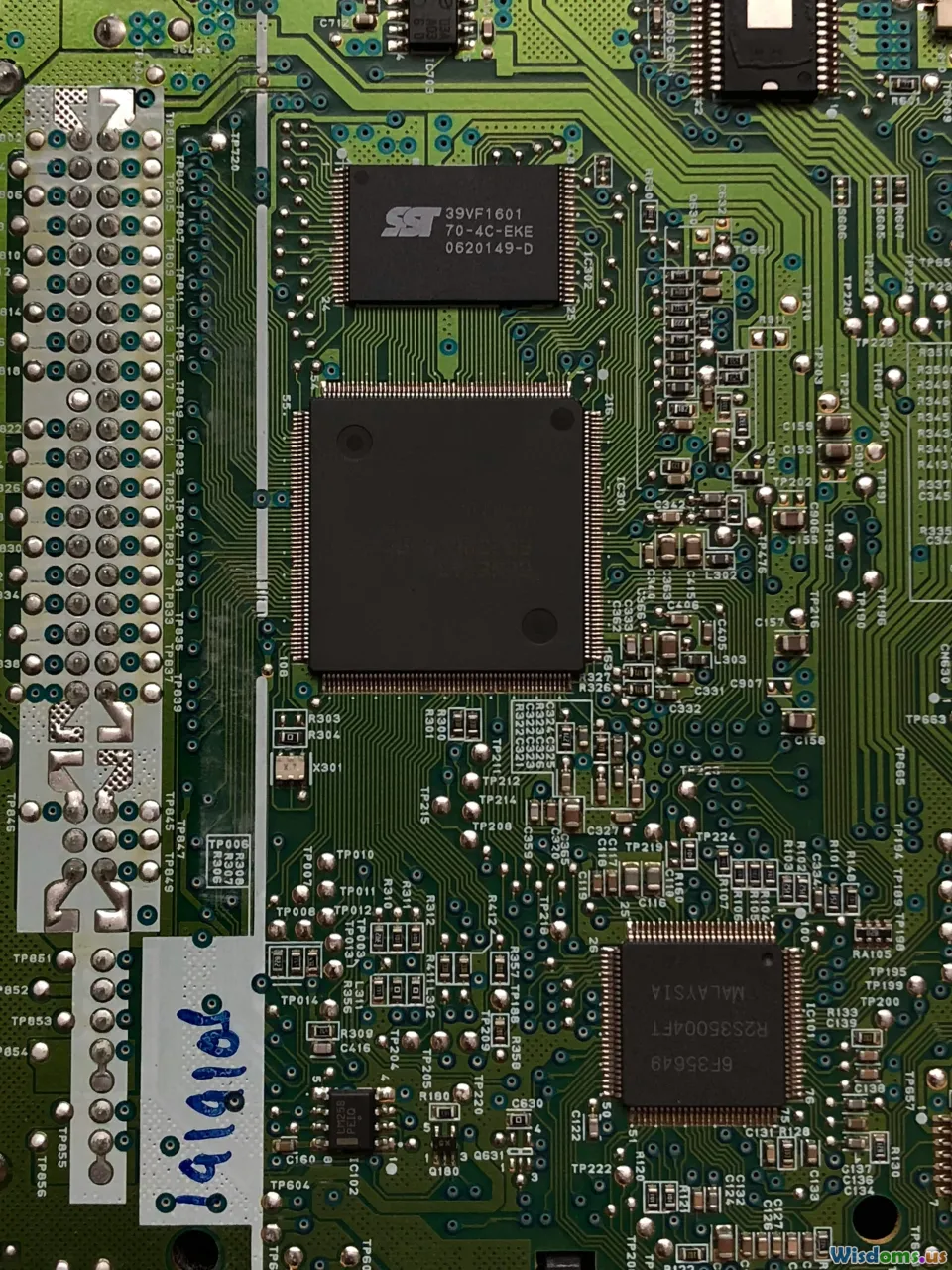
Before exploring PyTorch performance, it's vital to understand what makes CPUs and GPUs different. At their core, these chips were built with unique designs that favor different computational tasks:
- CPUs (Central Processing Units): Often termed the 'brains' of computers, CPUs are optimized for sequential serial processing. They feature a few powerful cores, each capable of handling weakly parallel tasks and making complex decisions quickly.
- GPUs (Graphics Processing Units): GPUs were created for graphics rendering, requiring thousands of simple computations to be performed simultaneously. As such, they contain hundreds to thousands of smaller, efficient cores capable of highly parallel processing.
Example: An Intel Xeon CPU might offer 8-32 cores, while an NVIDIA RTX 3090 GPU boasts 10,496 CUDA cores.
This fundamental difference dictates their suitability: CPUs excel at general-purpose, branching workloads; GPUs thrive on the repetitive, massive parallelism ubiquitous in deep learning.
PyTorch Architectural Overview
PyTorch was intentionally created to be hardware-agnostic, enabling seamless execution across CPUs and GPUs. Key features that influence performance include:
- Tensor abstraction: PyTorch's core data structure, the
Tensor, supports efficient computation on both hardware types using nearly identical code. - Device control: Developers can specify the device (CPU or GPU) at both the model and tensor levels using the
.to(device)method, or by initializing directly on the target hardware. - Underlying libraries: PyTorch leverages Intel's MKL (Math Kernel Library) and OpenMP for CPU acceleration, and NVIDIA's cuDNN and CUDA for blazing-fast GPU operations.
Example Code: Switching Between CPU and GPU
import torch

device = torch.device('cuda' if torch.cuda.is_available() else 'cpu')
x = torch.randn(1000, 1000).to(device)
By simply changing the device string, you instruct PyTorch to offload operations seamlessly—allowing direct comparison without rewriting algorithms.
Computation Types: When CPUs Might Rival GPUs

A widespread misconception is that GPUs always outperform CPUs in PyTorch tasks. While GPUs generally reign supreme for deep learning, there are important exceptions.
- Small Datasets and Models: GPUs entail data transfer overhead between CPU memory (RAM) and GPU memory (VRAM). When processing small datasets or compact models, the time taken to move data can offset the raw speed gains of the GPU. CPUs, optimized for low-latency startup and non-parallel tasks, may be as fast or slightly better.
- Serial or Lightly Parallel Work: If your model involves significant conditional code, irregular data structures, or predominately control logic—with limited large-scale matrix calculations—the CPU's superior serial performance will shine.
- Development, Debugging, and Testing: Iterative prototyping (with frequent restarts and data reloads) often benefits from CPU speed due to the lack of overhead.
Experimental Insight: Benchmarks with linear classification models and small input sets (e.g., 10,000 records, <1MB data) often show CPU times within 5–10% of GPU times—or even less—on modern hardware.
PyTorch on GPUs: Unrivaled for Scale

Deep learning's exponential progress is tightly bound to GPU evolution. When your tasks match the GPU's strengths, PyTorch can achieve speedups of 10x–100x compared to CPU execution.
Why GPUs Dominate:
- Massive Parallelism: Deep nets (CNNs, RNNs, transformers) require millions or billions of operations per forward or backward pass. Modern GPUs, such as NVIDIA's A100, can execute tens of teraflops per second—the kind of sustained throughput unreachable on even the beefiest CPUs.
- cuDNN & Libraries: PyTorch auto-selects optimized routines (e.g., for convolutions and matrix multiplies) ensuring peak performance.
- Batch Processing: GPUs excel at parallelizing large input batches; model training or inference across substantial datasets gains disproportionately more speed benefit from GPUs.
Real-World Example
A ResNet-50 image classifier on ImageNet (~1.3 million images, 224 x 224):
- CPU (Intel Xeon Gold 6230): Around 300 images/second
- GPU (NVIDIA V100): Over 5,000 images/second
When scaling to gigantic models (NLP transformers like BERT-Base, GPT), the necessity for GPUs is absolute. CPUs may take days—or be practically incapable—while GPUs process millions of samples overnight.
Overheads and Caveats: Data Transfer Costs

Switching to GPU-first processing can introduce a significant—and sometimes subtle—bottleneck: moving data between CPU and GPU memories.
Key Considerations:
- Memory locality: Both the host (CPU) and device (GPU) have distinct and isolated physical memory. Any tensor or variable on the CPU must be explicitly transferred to the GPU (using
.to('cuda')or.cuda()). - Transfer Speeds: PCIe or NVLink provides comparatively limited bandwidth (up to 16-25 GB/s) versus GPU's native VRAM transfer speeds (>400 GB/s). Frequent transfers can eat into performance gains.
- Best Practice: Load and preprocess data as much as feasible on the CPU, then batch-transfer to the GPU for extended processing without interleaving unnecessary data movement.
Example Pitfall
If a training loop repeatedly fetches CPU data and only moves tiny tensors (<1MB) to the GPU, overheads may cause GPU speed to fall below CPU performance, especially as hardware ages or becomes memory-starved.
Hands-On Benchmarking: Practical Comparison
Let's simulate a common benchmarking workflow comparing PyTorch on CPUs vs. GPUs. We'll process increasingly larger matrices and observe the cutoff where the GPU demonstrates superiority.
import torch
import time

def benchmark_mm(size, device):
    x = torch.randn(size, size, device=device)
    y = torch.randn(size, size, device=device)
    torch.cuda.synchronize() if device == 'cuda' else None
    start = time.time()
    for _ in range(10):
        result = torch.matmul(x, y)
    torch.cuda.synchronize() if device == 'cuda' else None
    end = time.time()
    return (end - start)/10

sizes = [128, 256, 512, 1024, 2048, 4096]
for sz in sizes:
    cpu_time = benchmark_mm(sz, 'cpu')
    if torch.cuda.is_available():
        gpu_time = benchmark_mm(sz, 'cuda')
        print(f"Size: {sz} | CPU: {cpu_time:.4f}s | GPU: {gpu_time:.4f}s | Speedup: {cpu_time/gpu_time:.1f}x")
    else:
        print(f"Size: {sz} | CPU: {cpu_time:.4f}s | GPU: NA | Speedup: NA")
Insight: On moderate hardware, CPU and GPU times for smaller matrices (<512x512) may be close, with GPU taking the lead as matrix sizes approach 1,024x1,024 and beyond.
Visualization
Plotting such results often reveals the GPU curve flattening for large jobs, while CPU compute time continues to rise—demonstrating parallel scaling at work. These insights help you determine when to invest in GPU time, and when the CPU suffices.
Datasets, Batch Size, and Runtime Tradeoffs

While hardware matters, so too do your choices in model design and data arrangement:
- Batch Size: Larger batch sizes maximize GPU efficiency, helping saturate the massive parallel units. Conversely, CPUs may perform worse as batch sizes grow due to cache and memory bandwidth limitations.
- Dataset Size: For tasks with millions of examples, the GPU shines. For rapid prototyping on minimal or 'toy' datasets, CPUs are often just as quick—and logistically simpler.
- Preprocessing Pipeline: Disk I/O and preprocessing can easily bottleneck any hardware. PyTorch's
DataLoader, with itsnum_workersparameter, helps parallelize CPU-side bottlenecks. Optimal performance means balancing loading/augmenting on CPUs against compute on GPUs.
Tips for Practitioners
- Start Small: Develop and debug on CPU-only mode; then migrate models and code to GPU for intensive runs.
- Profile and Experiment: Use Python tools like
torch.utils.bottleneck,torch.profiler, and visualization libraries like TensorBoard for in-depth profiling across hardware.
Environmental Impact: Efficiency and Cost

Selecting between CPUs and GPUs isn't just about wall-clock speed. There are important implications for energy, cost, and resource provisioning, especially when deploying at scale or in cloud environments.
Financial Considerations
- CPUs: Readily available, inexpensive to provision, and compatible across nearly every cloud provider. Great for basic inference, light-duty training, or development.
- GPUs: Provide unmatched performance but come with cost premiums. As of mid-2024, leading cloud GPUs (NVIDIA A100, H100) may cost $3–$6/hour, with high demand and limited supply. For long-running tasks, this can drive significant operational spending.
Energy and Sustainability
- Efficiency: GPUs consume more absolute power but are often more energy efficient per operation for large-scale tensor computation.
- Eco Impact: Providers like AWS, GCP, and Azure increasingly offer sustainability dashboards—enabling you to factor environmental impacts (carbon emissions, energy use) into hardware choices.
Advice: When projects can complete in <1 hour or with lower memory needs, CPUs are often more resource- and cost-efficient. For multi-day training or truly massive models, GPU is the requisite tool—just be aware of both financial and environmental costs.
Case Studies: Real-World Performance Lessons

Let's examine actual examples from research and industry:
Academic Research
A recent study at the University of Toronto explored BERT fine-tuning with PyTorch. The finding:
- CPU (16-core, 128GB RAM): Completion time for RTE task: ~94 minutes
- GPU (NVIDIA Tesla V100): The same task: ~7.5 minutes.
Speedups ranged from 10x to 17x if the batch size and data transfer were optimized.
Industry Application
An e-commerce company used PyTorch for image feature extraction.
- During live inference for thousands of products/hour, the company compared CPU (Intel Xeon Silver) to GPU (RTX 2080 Ti). With high parallel jobs, GPU handled 20x more throughput per watt, allowing server consolidation and lower per-inference costs. Their only caution: overheads for switching small, single-asset requests.
Lessons Learned
- For inference at low concurrency and minimal latency, CPUs (possibly with more threads) offered lower lifetime costs.
- For batch inference or retraining, GPUs slashed run times and operation expenses, justifying the upfront hardware expense.
Practical Tips: Maximizing PyTorch Performance

To optimize your PyTorch projects across devices:
- Explicit Device Management: Use
.to(device)accurately. Avoid hybrid workflows (CPU data → GPU tensors → CPU-intensive ops → back) to minimize data shuttling. - Efficient Batching: Tune batch sizes for hardware—bigger on GPUs, modest or dynamic on CPUs.
- Asynchronous Operations: GPUs enable asynchronous execution. Use
torch.cuda.synchronize()sparingly and profile where necessary; avoid unnecessary blocking. - Mixed Precision: With newer GPUs (Ampere, Volta), try
autocastandGradScalerfor faster, lower-memory mixed-precision training. - Parallel Data Loading: Leverage
DataLoader(num_workers=4+)for multi-core CPUs to maximize data feed speed. For multi-GPU, look intoDistributedDataParallel. - Memory Planning: Monitor VRAM and RAM usage—avoid memory overflows that can invisibly shift operations back to the CPU, degrading performance.
- Library Updates: Keep PyTorch and drivers updated; NVIDIA, Intel, and AMD continue to release major performance patches via new CUDA, cuDNN, and MKL versions.
Expert Insight: Carefully align workload size, model complexity, and batch strategy to your available hardware. Even with world-class GPUs, undersized jobs may never exploit their full power—while resource-strapped CPUs may deliver surprising results with thoughtful code design.
Future Directions: PyTorch and Evolving Hardware

The pace of hardware development continues to have direct impact on PyTorch and similar frameworks:
- AI Accelerators: Startups and big-tech players bring new hardware (Google TPUs, Apple's M-series, Graphcore IPUs) and PyTorch steadily expands support for alternative chips. Each offers unique tradeoffs, worth benchmarking.
- Edge Deployment: As efficient CPUs and small-form GPUs (Jetson, MX chips) improve, PyTorch Lite and quantization make edge inference practical, further blending CPU–GPU boundaries.
- Software Evolution: PyTorch 2.x's focus on just-in-time (JIT) optimization, lazy tensors, and exportable computation graphs narrows many CPU/GPU gaps and enables even more sophisticated hardware-specific tuning.
Staying informed about these trends ensures developers and researchers can exploit new opportunities as hardware and software advance in tandem.
The choice between CPU and GPU for PyTorch is ultimately shaped by your models, datasets, runtime constraints, and deployment scale. With careful benchmarking and a clear understanding of how computation, batch size, memory, and cost intersect, you can design workflows that combine the best of both worlds—capitalizing on PyTorch's extraordinary flexibility and performance wherever your research leads.
Rate the Post
User Reviews
Other posts in Machine Learning & AI Programming







Popular Posts