Step by Step Guide to Enterprise Application Integration
30 min read A practical, step-by-step guide to planning, designing, and implementing Enterprise Application Integration with examples, patterns, tooling, and governance to reduce silos, improve data flow, and scale securely. (0 Reviews)
Most enterprises don’t struggle because they lack systems; they struggle because those systems don’t talk to each other gracefully. Orders are delayed because inventory is stale. Customer service can’t see invoices because billing lives in another silo. Reports disagree because the data pipeline runs a day late. Enterprise Application Integration (EAI) is the discipline of turning this chaos into a dependable flow of information and processes, so every system plays its part on time.
This step-by-step guide walks you from business goals to technical execution, showing how to organize teams, choose the right patterns, and deliver integrations that are secure, observable, maintainable, and ready for change.
What EAI Really Means (and What It Doesn’t)

EAI is the deliberate, governed practice of connecting applications and data sources so they exchange information and trigger processes reliably. It includes the plumbing (connectors, adapters, APIs, message brokers), the patterns (request/response, publish/subscribe, event-driven choreography), and the rules (security, data governance, error handling) that make integrations dependable.
What EAI is not:
- Random one-off scripts wired by heroic engineers. That’s point integration without governance.
- Only ETL. ETL focuses on data movement, often batch and one-way, typically into analytics. EAI supports real-time/near-real-time, bidirectional business processes.
- Only APIs. APIs are a channel; EAI ensures consistent semantics, sequencing, security, and observability across channels and systems.
A simple example: Your ERP updates a purchase order, your CRM needs the latest status, and your warehouse management system must print a pick list. In EAI, the ERP emits an event; a broker distributes it; transformation maps ERP’s fields into a canonical order; downstream systems receive the version they need. No system becomes the bottleneck; no team is forced to learn everyone else’s dialect.
When You Need EAI (and When You Don’t)

EAI pays off when:
- You have 5+ core systems with overlapping data or processes (ERP, CRM, e-commerce, WMS, billing).
- Teams keep building new point-to-point links that break with every upgrade.
- Real-time or near-real-time synchronization matters (orders, inventory, pricing, customer status).
- Regulatory controls, traceability, or auditability are required.
You might not need a full EAI program when:
- You have a handful of apps and low change frequency—careful point-to-point plus basic monitoring may suffice.
- You only need analytics. A data warehouse or lakehouse with scheduled ETL/ELT might solve your core problems faster.
- A single SaaS platform can cover 80–90% of needs with native integrations, and the remaining 10–20% is low-risk.
Tip: Treat EAI as a product. Create a backlog, a roadmap, and a platform that teams can self-serve—not a string of bespoke projects.
Step 1: Define Business Outcomes and Scope

Start with outcomes, not connectors. Anchor integration work to measurable business goals:
- Reduce order-to-cash cycle time by 20% within two quarters.
- Improve inventory accuracy to 98% by enabling real-time sync.
- Cut support handle time by 30% by providing a 360-degree customer view.
- Reduce integration incidents by 50% via standardized error handling.
Translate outcomes into scope:
- Processes: order capture, pricing update, invoice generation, shipment tracking.
- Data domains: customer, product, price, order, payment.
- Systems: ERP, CRM, PIM, WMS, billing gateway, e-commerce platform.
- Non-functional needs: throughput (messages/min), latency targets (p95 under 500 ms), availability (99.9%+), compliance (GDPR, HIPAA as applicable).
Create a living one-page charter that lists the outcomes, initial scope, constraints, and success metrics. Revisit it each quarter.
Step 2: Inventory Systems and Integration Styles

Catalog the landscape so you can plan realistically:
- Systems and ownership: Name, owner, environment (prod/test/dev), upgrade cadence.
- Interfaces: REST, SOAP, file drops/SFTP, message queues (JMS/AMQP), streams (Kafka), database access, RPA for unavoidable UIs.
- Constraints: API rate limits, allowable schedules, file size limits, data residency.
- Data semantics: required fields, keys, reference data (currencies, units), encodings.
- Security posture: authentication (OAuth 2.0, API keys, mTLS), allowed ciphers, token lifetimes.
Identify current integration styles:
- Point-to-point scripts or scheduled jobs.
- Vendor-provided adapters (ERP connectors, CRM webhooks).
- Middleware in place (ESB, iPaaS, event bus).
Outcome: A living registry, ideally in your internal developer portal, that documents systems, endpoints, schemas, and owners.
Step 3: Choose Your Integration Architecture

Three common patterns dominate modern EAI:
- ESB-centric (Enterprise Service Bus)
- Pros: Centralized governance, strong transformation/routing, rich adapters for legacy protocols (mainframe, EDI, SOAP).
- Cons: Can become a bottleneck and a single point of change; risks monolithic governance.
- Fit: Enterprises with significant on-prem legacy and strict process orchestration needs.
- iPaaS (Integration Platform as a Service)
- Pros: Faster time-to-market, managed scaling, drag-and-drop mapping, hundreds of connectors.
- Cons: Vendor lock-in risks, cost at high-throughput, some limits on custom logic.
- Fit: Hybrid SaaS landscapes, teams that value speed and managed infrastructure.
- Event-driven and API-led hybrid
- Pros: Decoupling via publish/subscribe; real-time updates; improved resilience; services communicate via events and versioned APIs.
- Cons: Requires solid event modeling, observability, and consumer discipline.
- Fit: Organizations expecting frequent changes, multiple consumers, and need for real-time reactive flows.
Decision guidelines:
- If your systems are mostly SaaS: start with iPaaS plus an API gateway.
- If you have a heavy on-prem footprint: ESB or open-source frameworks (Apache Camel, Spring Integration) with a message broker.
- If change velocity and real-time needs are high: adopt event streaming (Kafka, Pulsar, NATS) with API-led edges.
Avoid either-or thinking: mix and match. For example, drive canonical events through Kafka, expose self-service APIs at the edge, and use an iPaaS for SaaS-to-SaaS mappings.
Step 4: Data Modeling and the Canonical Contract

Inconsistent data is the most common root cause of integration failures. Create a canonical data model for cross-domain entities:
- Minimal but stable: capture required fields that all consumers agree on (order_id, customer_id, currency, total_amount, status, timestamps). Keep optional extensions per domain.
- Versioned: use semantic versions and a schema registry to track compatibility.
- Mapped: maintain mapping specs from each source system to the canonical and from the canonical to each target.
Practical steps:
- Establish a glossary for key terms (what exactly is an order? When does it become an invoice?).
- Use standardized formats: ISO 8601 for time, ISO 4217 for currency, consistent UUIDs for IDs.
- Choose payload formats: JSON for readability and web APIs, Avro/Protobuf for high-throughput streams, CSV for legacy bulk loads.
- Validate schemas at the boundary with schema validation rules and contract tests.
Example: Your ERP uses gross_amount and tax_amount; your CRM only needs net_amount. Your mapping rule can define net_amount = gross_amount − tax_amount and publish net_amount to CRM while preserving full detail in the canonical event for downstream analytics.
Step 5: Security and Compliance by Design

Security and compliance are not afterthoughts; they’re foundational.
Core practices:
- Authentication and authorization: Prefer OAuth 2.0/OIDC for APIs; use mTLS for server-to-server; enforce least privilege via scoped tokens.
- Data protection: Encrypt in transit (TLS 1.2+), encrypt at rest (platform-managed keys). Tokenize or pseudonymize sensitive fields. Avoid moving secrets via logs.
- Access boundaries: Network segmentation, VPC peering rules, IP allowlists for SFTP legacy links, and private endpoints for SaaS platforms.
- Auditability: Centralized, tamper-resistant audit logs with correlation IDs; retain per regulatory needs.
- Data minimization: Only move necessary data, especially for PII/PHI. Define data retention and deletion policies aligned with GDPR or industry-specific regulations.
Compliance hints:
- Keep data lineage metadata: what system produced which field, transformed by which job.
- Add consent checks for customer data flows. If consent is revoked, downstream consumers must respect it; design events to carry consent states.
Step 6: Pick the Right Integration Patterns

Patterns are your vocabulary. Choose deliberately:
Synchronous request/response
- Use when immediate confirmation is required (payment authorization).
- Risks: tight coupling; set robust timeouts, retries, and circuit breakers.
Asynchronous publish/subscribe
- Use for distributing facts (order_created, inventory_adjusted). Multiple consumers can react independently.
- Benefits: decoupling, resilience, scaling; consumers process at their pace.
Batch vs. real-time
- Batch: periodic bulk loads for non-time-sensitive needs (nightly GL postings).
- Real-time: events or APIs for time-critical processes (cart pricing, fraud checks).
Orchestration vs. choreography
- Orchestration: a central workflow engine coordinates steps (good for complex, auditable processes).
- Choreography: services react to events to drive the flow (scales well but needs strong event contracts).
Transactional integrity
- Saga pattern for long-running business transactions; use compensation events instead of distributed locks.
- Idempotency keys on writes to avoid duplicate effects during retries.
Backpressure and rate limiting
- Protect downstream systems from overload by shaping traffic, queuing, and adaptive retries.
Step 7: Build the Platform Foundation

Assemble the building blocks before plumbing business flows:
- Connectivity: SDKs and connectors for ERP (e.g., SAP), CRM (e.g., Salesforce), billing gateways, SFTP, JDBC. Avoid bespoke where a standard connector exists.
- Messaging: Message broker (RabbitMQ/ActiveMQ) and/or streaming platform (Kafka/Pulsar). Define topics/queues with clear naming conventions and retention policies.
- API layer: API gateway for throttling, authentication, caching, and routing (Kong, Apigee, AWS API Gateway). Standardize request/response schemas and error formats.
- Transformation: Use a mapping tool or standard libraries for JSON/XML/EDI transformations. Keep transformations versioned and tested.
- CI/CD pipelines: Automated builds, linting, security scanning, unit/contract tests, and environment promotion. Embed schema compatibility checks.
- Secrets and configuration: Centralized secrets manager; no credentials in code or logs. Separate config by environment.
- Developer experience: Templates, reference integrations, and a catalog in your internal dev portal with how-to guides.
Tools worth evaluating (depending on your stack): MuleSoft, Boomi, Workato, Azure Logic Apps, AWS Step Functions, Apache Camel, Spring Integration, WSO2, Debezium for CDC, Kafka Connect for scalable connectors.
Step 8: Implement a Real-World Flow, Step by Step

Scenario: A retailer wants orders placed on the e-commerce site to appear in the ERP within seconds, update inventory in the warehouse system, and notify the CRM for customer engagement.
- Define contracts
- Canonical event: order_created with fields like order_id, customer_id, items[], totals, currency, sales_channel, timestamp.
- Version v1.0 with backward-compatible extension fields reserved.
- Produce the event
- E-commerce service publishes order_created to the broker within the transaction boundary or immediately after the checkout completes.
- Include an idempotency key derived from the order ID.
- Route and transform
- A transformation service maps canonical order to ERP’s required format (e.g., separate tax lines, internal SKU mapping). Reference data (SKU mapping) cached locally with TTL and sourced from PIM.
- Push to ERP
- If ERP supports an API, use synchronous calls with retries and circuit breaker. If not, drop EDI/XML to SFTP watched by the ERP import job. Ensure a unique file name pattern to support replays.
- Update inventory in WMS
- Publish inventory_reserved event after ERP acknowledges order acceptance. WMS subscribes and reserves stock. If reservation fails, emit inventory_reservation_failed to trigger compensation (cancel order or backorder).
- Notify CRM
- CRM subscribes to order_created for engagement. Only non-sensitive customer data is included; sensitive fields remain masked per policy.
- Error handling
- Distinguish between transient (timeouts, rate limits) and persistent errors (schema mismatch). Retry transient errors with exponential backoff. Route persistent errors to a dead-letter queue with context (correlation ID, payload hash) and alert the on-call team.
- Observability and metrics
- Emit metrics: events produced/consumed per minute, success/failure rates, p95 latency from e-commerce to ERP, DLQ depth, and age of oldest undelivered message.
- Replays and idempotency
- Allow reprocessing: store event offsets and ensure ERP operations are idempotent (upsert by order_id). Replays should not duplicate orders or send extra emails.
- Rollout strategy
- Start with a canary (5% of orders) and monitor. Gradually ramp up as SLOs are met. Keep a feature flag to fall back to the old integration during the transition.
This pattern generalizes. Replace e-commerce/ERP/CRM with your systems, but keep the same discipline: contracts, idempotency, error handling, and observability.
Step 9: Testing the Invisible Glue

Integration failures often hide at boundaries; make testing a first-class citizen.
- Unit tests: Validate transformations, mapping rules, and utility functions.
- Contract tests: Provider and consumer tests ensure schema compatibility. Break builds on incompatible changes.
- Integration tests: Spin up test containers for brokers and mock services to verify end-to-end flows.
- Data quality tests: Assert referential integrity, required fields, valid enumerations. Fail fast on malformed data.
- Performance tests: Load test with realistic message sizes and bursts. Validate backpressure and latency SLOs.
- Chaos testing: Inject failures (broker outages, slow endpoints, 5xx responses) to validate retries and circuit breakers.
- Security testing: Scan for secrets, validate token scopes, and run fuzz tests against APIs.
Create reusable test fixtures and sample payload libraries so all teams test with the same representative data.
Step 10: Observability, SLOs, and Incident Response

What you can’t see will hurt you. Instrument the platform:
- Metrics: Throughput, success/failure counts, retry counts, DLQ depth, consumer lag, end-to-end latency percentiles.
- Logs: Structured logs with correlation IDs that tie together a request across systems. Keep payload hashes rather than full payloads for privacy.
- Traces: Distributed tracing that spans producers, brokers, and consumers. Annotate spans with business keys (order_id).
- Health checks: Liveness and readiness probes for connectors and workers.
Derive SLOs from business needs:
- Availability: Example—99.9% monthly for the order ingestion path.
- Latency: p95 under 500 ms from event publish to ERP acknowledgment.
- Error budget: 0.1% allowed failure rate per month to guide release velocity.
Incident playbooks:
- Alert routing: Pager duty for p95 latency breach, DLQ growth beyond threshold, or consumer lag > N minutes.
- Triage runbook: Steps to reprocess DLQ messages, identify bad mappings, and rollback recent deployments.
- Communication templates: Stakeholder updates for degraded modes (e.g., ERP down; orders queued safely, no data loss).
Step 11: Deployment, Versioning, and Releases
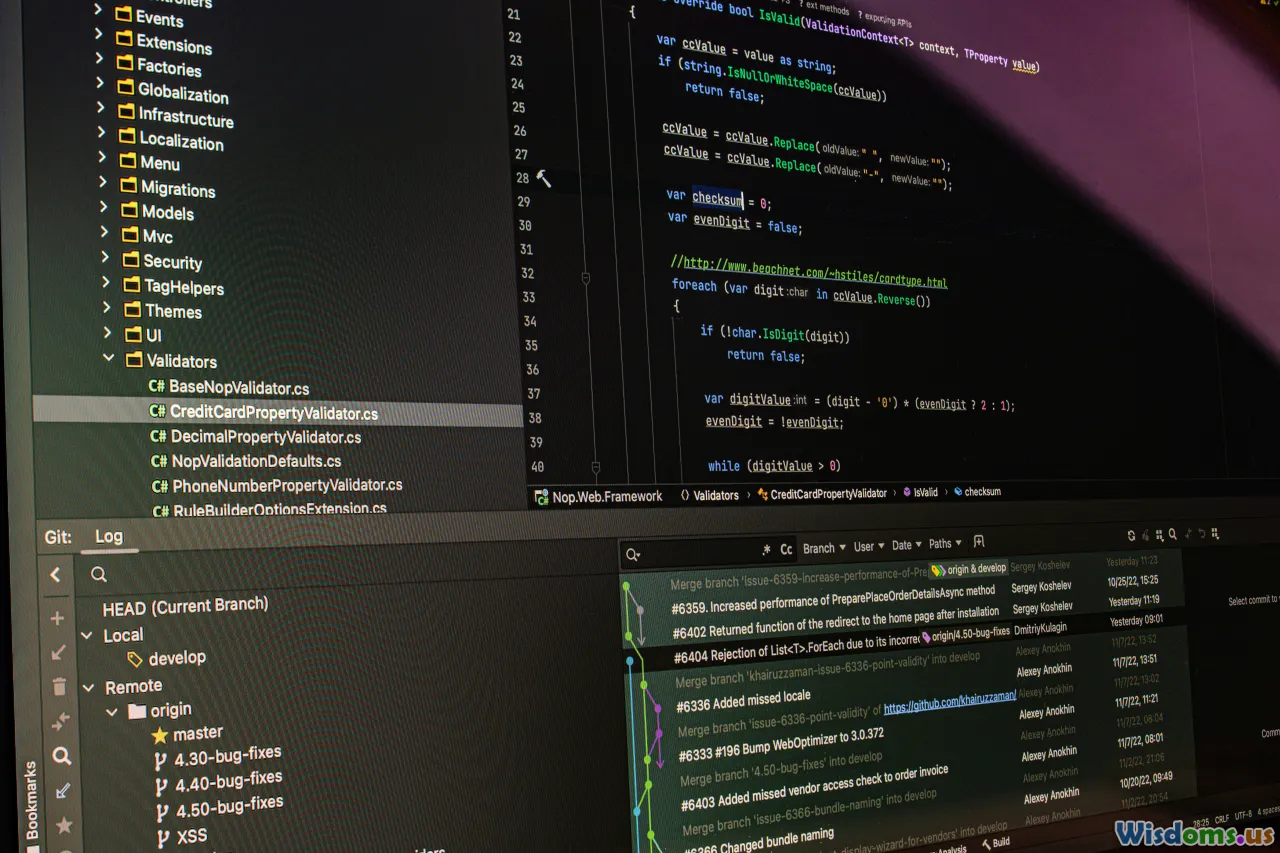
Release discipline reduces fear and downtime.
- Semantic versioning: vMAJOR.MINOR.PATCH for schemas and APIs. Consumers must declare compatibility.
- Backward compatibility: Additive changes preferred; deprecate fields with a sunset date. Require cross-team sign-off for breaking changes.
- Deployment strategies: Blue/green for connectors, canary for consumers, feature flags for routing rules.
- Runtime configuration: Externalize endpoints, credentials, and toggles; avoid rebuilds for environment differences.
- Data migrations: For stateful integrations (e.g., offset stores), ensure safe upgrades with migration scripts and backups.
Governance tip: Maintain a changelog per integration flow and a release calendar to avoid overloading downstream systems during their blackout periods (e.g., financial close).
Step 12: Operations, Runbooks, and Support

Plan for day-2 operations:
- Runbooks: Standard operating procedures for common tasks—restart consumers, purge test queues, rotate keys, clear stuck files, reprocess batches.
- Capacity management: Monitor broker partitions, queue lengths, connection pools, and thread counts. Plan ahead of seasonal spikes.
- Cost controls: For iPaaS, track flow counts and data volume. For streaming, manage retention and compaction policies.
- On-call maturity: Rotate responsibilities; measure MTTR; perform blameless postmortems; bake improvements into your backlog.
- Business continuity: Design for DR with cross-zone brokers, multi-region replicas, and tested failover runbooks.
Step 13: Governance, Documentation, and Change Management

Lightweight governance accelerates delivery by removing ambiguity.
- Standards: Naming conventions for topics/queues, API endpoints, and fields; error code taxonomy; timeouts and retry defaults.
- Approvals: Define what needs review (new public topics, PII flows) and what is self-serve (internal non-PII topics).
- Documentation: For each flow, include purpose, owner, diagrams, schemas, sample payloads, dependencies, SLOs, and runbooks.
- Lifecycle: Onboarding/offboarding processes for systems; decommission flows gracefully; maintain a central registry.
- Data stewardship: Assign owners for each data domain; establish MDM for critical entities; maintain reference data governance.
Change management:
- Publish a change calendar; avoid disruptive changes during critical business windows.
- Announce schema changes with timelines and migration guides; provide sandboxes and examples.
Costing, ROI, and Prioritization

EAI is an investment. Make it pay back.
Cost drivers:
- Platform: Licenses (iPaaS/ESB), infrastructure (brokers, gateways), observability tools.
- Development: Building adapters, transformations, tests, and pipelines.
- Operations: Monitoring, on-call, maintenance, and upgrades.
Savings and benefits:
- Fewer outages and manual workarounds; lower operational effort.
- Faster onboarding of new systems or partners.
- Better data quality supporting analytics and AI initiatives.
- Improved customer experiences via real-time processes.
Prioritization framework:
- Score candidate integrations on business impact, risk, complexity, and dependency reduction.
- Aim for a thin-slice MVP delivering one or two high-value flows in 8–12 weeks.
- Track KPIs: incident rate, MTTR, latency, change lead time, and adoption by downstream teams.
Common Pitfalls and How to Avoid Them

- Treating EAI as a project, not a product: Without a roadmap and platform mindset, you accumulate brittle, one-off flows.
- Over-centralizing the ESB: You gain control but lose speed. Encourage self-service with guardrails instead of gatekeeping.
- No canonical contracts: Without shared schemas, every integration is a custom job, and change becomes slow and risky.
- Ignoring idempotency: Retries cause duplicates, billing errors, and customer frustration.
- Skipping observability: You can’t fix what you can’t see. Instrument before you go live.
- Underestimating reference data quality: SKU, unit of measure, and currency mismatches cause silent data corruption. Establish MDM where it matters.
- Big-bang rewrites: Favor incremental, strangler-fig approaches that replace legacy integrations slice by slice.
- Security debt: Token sprawl, shared credentials, and unencrypted legacy links will catch up with you. Standardize early.
A Practical Checklist You Can Use Tomorrow

- Define 3–5 business outcomes and target metrics.
- Inventory systems, interfaces, schemas, and owners; publish the registry.
- Choose an architectural baseline: iPaaS, ESB, event-driven, or hybrid.
- Draft canonical models for 2–3 core entities and store them in a schema registry.
- Stand up the platform backbone: broker/streams, API gateway, secrets, CI/CD.
- Pick one end-to-end flow; define contracts, success/failure paths, and SLOs.
- Implement idempotency and retry policies; add correlation IDs everywhere.
- Build tests: unit, contract, integration, and load tests.
- Instrument metrics, logs, and traces; define alerts and runbooks.
- Plan rollout: canary + feature flags; communicate changes to stakeholders.
Advanced Topics: Where to Go Next

- Change data capture (CDC): Use tools like Debezium to stream database changes into events without modifying legacy apps.
- Event sourcing and CQRS: Separate writes from reads for high-scale domains; rebuild materialized views from events.
- Streaming ETL vs. EAI: Blend real-time data pipelines (e.g., Kafka Streams, Flink) with your integration backbone to power analytics without batch delays.
- API composition vs. aggregation: Use BFF (backend-for-frontend) services to tailor APIs for specific clients while keeping the domain model clean.
- Serverless integration: Orchestrate lightweight flows with cloud functions and step orchestration; watch cold starts and idempotency.
- Policy as code: Codify security and governance rules (rate limits, PII handling) using tools that validate configs in CI.
- AI-assisted operations: Anomaly detection on metrics, automated runbook execution for known failure patterns.
A Day-1–Day-90 Sample Timeline

Day 1–14
- Charter the program; define outcomes and SLOs.
- Inventory systems; set up issue tracking and collaboration spaces.
- Decide on baseline architecture and pick tools.
Day 15–30
- Define canonical models for top entities.
- Stand up platform components: broker, gateway, schema registry, CI/CD, observability.
- Pick the first flow and write contracts and mapping specs.
Day 31–60
- Build adapters and transformations; implement idempotency and retries.
- Create tests and seed sample payloads; run performance tests.
- Define runbooks; set alerts and dashboards.
Day 61–90
- Pilot deployment with canary traffic.
- Iterate on issues from telemetry and user feedback.
- Document, train teams, and onboard additional flows.
Real-World Tips from the Trenches

- Don’t centralize mapping logic to one team: Provide shared libraries and patterns, but let domain teams own their mappings with guardrails.
- Embrace small messages plus lookup: Keep events lean and let consumers enrich via APIs or caches. It reduces schema churn and payload size.
- Prefer explicit versioning over silent changes: A breaking change should always get a new version and topic or path.
- Budget for reference data hygiene: Even the best integration fails with bad master data. Include MDM and data quality checks in your plan.
- Keep humans in the loop where needed: Some compensations require approval; model manual steps explicitly in your workflows.
- Run load in the lab and in the wild: Synthetic tests are necessary but not sufficient; do brownout drills during canary rollouts.
An integrated enterprise isn’t one with the most connectors—it’s one where information and processes move at the speed of business, safely and predictably. Start with outcomes, adopt patterns that fit your systems, and build a platform that makes the right path the easiest path. Over time, your teams will ship integrations with confidence, your data will agree with itself, and your customers will feel the difference.
Rate the Post
User Reviews
Other posts in Enterprise Software






Popular Posts